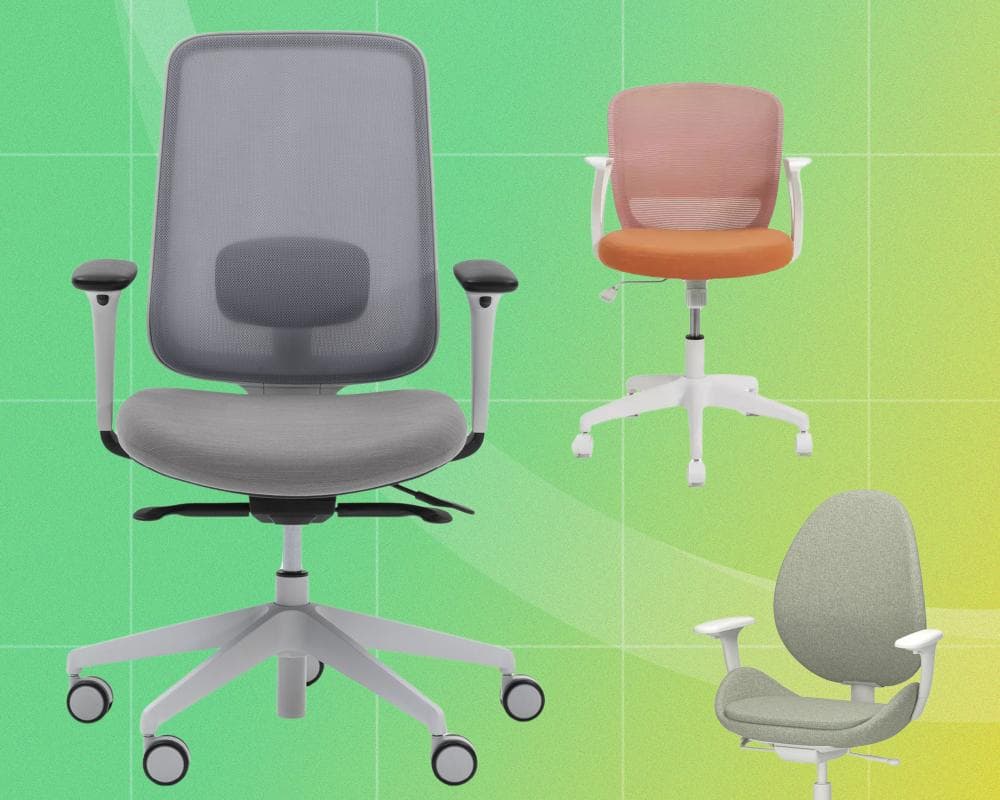
What’s the most important thing when you’re spending hours in front of a computer? Is it having the fastest internet? The sharpest screen? The perfect keyboard? No. When you’re spending most of your day on your bottom, the most crucial element is what’s directly underneath.
With a good office chair, you can handle a long working day without any feelings of discomfort. With a bad one, you can expect backache, neck ache, tender glutes and assorted nagging pains. Who wants to return to work when the last day left you feeling achy and decrepit?
Many decent chairs are available, and while you don’t want to go cheap, you also don’t have to spend a fortune. I’ve spent months testing nine to find the best office chairs – including some lower-cost alternatives – to help you make a better choice.
***
***
Why you should trust me
I’m a hard-working writer who spends long days (and often nights) sitting at a desk. I’m prone to spending even more time at my desk after working hours, playing video games and working on personal projects. Basically, I’m a world-class endurance sitter, and I demand a lot from my office chair.
I’m also an experienced reviewer, covering consumer technology, PC hardware, ergonomic office accessories and a wide range of home and garden products. I’ve got a strong idea of what works, what is going to drive you crazy, and what you need to think about before you buy.
How I tested
I’d like to say I spent hours running automated pressure and wear simulations, but in truth, I simply spent a lot of time sitting on each chair. I assembled each model where assembly was required, noting any issues with the process, the supplied instructions and the fixtures and fittings provided. I then spent up to a fortnight using each as my everyday office chair across two testing periods, sitting in blocks of up to five hours, two or three times a day.
I also roped in my wife for further testing. She’s a freelance illustrator and similarly inclined to spending long days at her desk. We rotated the chairs between us, occasionally bickering over who got to sit in the most comfortable option and who would be hit with the chair with the immovable backrest and less cushioning.
I also put each office chair’s adjustments through their paces to see what could and couldn’t be moved, checked for safety issues and noted any mechanisms that didn’t feel built to last. When we’d finished with a chair, it was dispatched back to the manufacturer, or a branch of Devon charity Hospiscare, so that it could go on living a useful life at someone else’s desk.
***
The best office chairs
***
<em>Best office chair overall:</em>Slouch Task One
Slouch Task One, with arms none-selected- What we love:Very comfortable; good range of adjustments
- What we don’t love:Forward tilt an optional extra; hard armrests

The Slouch Task One may not have the wow factor of the Herman Miller Aeron featured below, but it still gives you everything you’d want from an office chair. It comes semi-assembled, but the base, gas lift and back all needed to be put together and bolted into place before use. It’s a quick 20-minute job with very clear instructions, complete with videos to help. Once assembled, it feels solid, with none of the cheap plastics or creaky fittings found on the budget chairs.
It looks good, too, in a choice of black or light grey for the frame and seats in beige, charcoal, pink, light grey, off-white and blue. Most importantly, it’s hugely comfortable, making light work of even the most epic working days.
Why we love it
Slouch has got the seat spot on, with enough padding to keep your posterior from encountering any hard surfaces, and a moulded shape that holds up well under pressure. The mesh backrest keeps the spine upright while allowing for a degree of tilt, with a four-stage lock and synchronised mechanism to keep you balanced.
Just about everything is adjustable, from the seat height and depth to the tension of the backrest, the height and position of the arms and the placement of the lumbar support. The gas lift has a smooth action that makes it easy to get the height right. Slouch also offers the chair with a choice of casters, covering soft and hard floors (though there is an additional cost of £19 for the hard floor option).
It’s a shame that … you have to pay £39 extra if you want a forward seat-tilt mechanism, although it’s still a bargain compared with most other chairs. Some may hanker for more padding on the soft-feel armrests or find the colour options bland.
Dimensions: 70 x 65 x 108cm (WDH)
Seat depth and height: 42-48cm; 42-54cm
Adjustments: seat depth, seat height, arm height and position, back-tilt tension, lumbar support
***
<em>Best budget office chair:</em>Habitat Beck
Habitat Beck none-selected- What we love:Compact, cheap and fairly stylish
- What we don’t love:Not comfortable enough for all-day use

Habitat’s chair does a good job of fitting into your average home-office setup. It’s compact and attractive, with a white frame, a pink mesh backrest and a sunny light orange seat. Clear instructions make it easy to assemble – I had it ready within 15 minutes – and it feels solid once that’s done. There are, sadly, no adjustments for the back or armrests, but the seat height can rise from 44cm to 52cm, and it tilts backwards and forwards as you move.
Why we love it
It’s less than £100, but the Beck looks and feels like a more expensive chair. The seat has better cushioning than you’ll find on other budget options, and it’s neither too soft nor too firm. You may want more support from below for all-day working, but it’s fine for a few hours here and there. The tilt mechanism is also more responsive than on some cheap models, though the fixed back means you don’t get the same flexibility as on the Slouch, Herman Miller and Ikea chairs.
The Beck is a great chair for slouching at your desk while you’re engaged in deep thought or otherwise procrastinating, but not so great when you’re sitting up and trying to get work done. The backrest feels slanted backwards, suggesting a relaxed posture rather than the more ergonomic vertical stance.
It’s a shame that … the back isn’t adjustable, and neither is the seat depth or the height of the armrests, so you’re stuck with what you’ve got. If it were my own money, I’d really try to find the extra to get the Slouch.
Dimensions: 65 x 60 x 92cm (WDH)
Seat depth and height: 48cm; 44-52cm
Adjustments: seat height, back-tilt tension, tilt lock
***
<em>Best office chair for all-day comfort:</em>Herman Miller Aeron
Herman Miller Aeron none-selected- What we love:Highly adjustable; great support for long hours
- What we don’t love:Big and heavy; premium price tag

The Aeron is a high-end office design classic, and you only need to sit on one for an hour or two to understand why. Counterintuitively, the mesh seat is gentler on the glutes than any conventional padded effort, sloping down and curving off to support your thighs at just the right angle without digging in behind the knee. You can’t even feel the hard plastic edge at the front, which is where so many copycats fall down. It looks and feels like the seating equivalent of an executive saloon car, mixing tough plastics with the occasional bit of chrome.
Why we love it
It comes already built, so there’s no pain there, and it’s incredibly adjustable. It’s the only chair where I needed to refer to the instructions to figure out all the controls. However, once you spend an hour or so tweaking all the heights, depths and angles, it fits the body like a glove, effortlessly tilting forwards and backwards in perfect synchronisation as you move.
If you absolutely have to spend long days and nights beavering away to hit a deadline, this is the chair to do it in. While getting up to move and stretch is recommended, your back and neck won’t be accusing you of torture when you do finally get away. Make sure you buy it in the right size, with smaller and larger A and C options as well as the standard B fit.
It’s a shame that … it’s big and heavy, so best for an established office space; you don’t want to lug this big galoot around. Really, though, the only reason not to buy it is the price. It’s arguably worth it even so, but it is a serious investment.
Dimensions (size B): 66 x 60 x 109cm (WDH)
Seat depth and height: 46cm; 45-58cm
Adjustments: seat height, arm height and position, back-tilt tension, tilt limiter, lumbar support
***
<em>Best office chair for reclining:</em>Boulies Master
Boulies Master none-selected- What we love:Spacious, firm and supportive with an epic recline
- What we don’t love:Noisy mechanisms; lightweight levers

The Boulies Master takes its cues from gaming chairs, although its materials and sports-car flourishes are relatively restrained. Fittingly, there’s a certain level of challenge in putting it together, with most components needing to be attached to the basic frame and a surprising number of bolts to screw in.
Why we love it
The effort is worth it. The cushioning is a little firmer than you’ll find on most office chairs, but there’s plenty of it, and I didn’t find the chair wearing by the end of a hard day. You can quickly adjust the seat height, the back-tilt tension and the position of the lumbar support, while a little lever near the backrest on the right allows you to recline unnervingly close to horizontal, which might be ideal for catching 40 winks if it doesn’t bring back bad memories of the dentist. The arms have a soft surface and are moulded for comfort, and I was pleasantly surprised that I didn’t get hot in it during work hours or long periods gaming.
It’s a shame that … the seat-height and tilt-tension levers feel slightly flimsy when you try to pull them up, as if they might give before allowing any adjustment. The recline control makes a loud noise when engaged or disengaged, and there’s no way to adjust the seat depth.
Dimensions: 76 x 71 x 127.2cm (WDH)
Seat depth and height: 48cm, 46-53cm
Adjustments: seat height, arm height and position, back-tilt tension, tilt angle, lumbar support
***
<em>Best office chair for adjustable style:</em>Steelcase Gesture
Steelcase Gesture none-selected- What we love:Stylish design; intuitive adjustments
- What we don’t love:You really have to like a firm seat cushion

Steelcase’s chair is a looker, more compact and elegant than most office chairs, but without any compromise on the ergonomics. There’s only minimal assembly before you can get seated, and it feels like it’s been thoughtfully designed and expertly engineered. The plastics and materials feel premium, and every mechanism works smoothly. It’s available as a chair or in a taller stool version, and in many different fabrics and colours, with or without a headrest.
Why we love it
It’s not just the looks that impress: it’s comfortable, too. The seat and rear cushion are on the firm side, but provide excellent support over long periods without putting excessive pressure on your body. It’s also highly adjustable, with intuitive controls that make it easy to find the right position. You can slide the seat backwards and forwards or set the maximum tilt with a quick turn of a knob or flick of a lever, while the armrests are just as easy to raise, lower or change angle. The tilt mechanism feels smooth, making it easy to lean back and pause for thought.
It’s a shame that … the firm cushions won’t be for everyone. Both my wife and I found it comfortable, but your mileage may vary. I’m also unsure how well the Gesture would suit larger builds, as its seat feels narrower and less forgiving than those on the Slouch or Boulies chairs.
Dimensions: 66 x 62.5 x 104cm (WDH)
Seat depth and height: 41-47.5cm, 42-52cm
Adjustments: seat height, seat depth, arm height, width and angle, back-tilt tension, adjustable backstop
***
The best of the rest
***
LiberNovo Omni Pro
LiberNovo Omni Pro none-selected- What we love:Great back support; comfortable reclining
- What we don’t love:Some gimmicky features; complex assembly

Best for: hi-tech features
LiberNovo’s hi-tech office chair is easily the most feature-packed I’ve tested. While the seat-height, armrest and backrest adjustments are manual, motors adjust the shape of the flexible lumbar support, and you can use the buttons on the armrest to get this just right. The seat and backrest can recline through five positions between 105 and 160 degrees, with an optional two-level footrest to support your feet under the desk or while you’re lying back and stretching.
On top of that, there’s an automatic lumbar-stretch function to get your spine moving if you’ve been sitting for too long, plus a built-in fan to cool the seat. The chair as a whole is hugely adjustable and supportive, with everything tilting in perfect synchronisation every time you lean back. It’s powered by a rechargeable battery that charges through a USB-C port, but I haven’t had to recharge it in around six weeks of use.
It didn’t make the final cut because … while it’s an excellent office chair, it’s also expensive. I’m not sure the stretch function and motorised adjustments add much in terms of day-to-day comfort, either. It still takes a lot of fiddling to get the right fit, and I found the Steelcase and Herman Miller chairs more easygoing on my bum and thighs during long working days. It’s also one of the most complex chairs to assemble, with a whole bunch of different parts to be locked and bolted into place.
Dimensions: 79 x 65.5 x 132.5cm (WDH); seat depth and height: 45-48cm, 48.5-59.5cm; adjustments: seat height, arm height and position, back-tilt tension, tilt angle, lumbar support, neck support height, tilt and depth
***
Ikea Hattefjäll
Ikea Hattefjäll none-selected- What we love:Very stylish; synchronised tilt
- What we don’t love:Thin and hard seat cushion; tiny levers

Best for: cool Scandinavian looks
With its elegant frame, sleek seat and backrest and choice of tasteful fabrics, the Hattefjäll is ideal for the stylish home office. You’ll feel like you’re working in an upmarket consultancy, even when you’ve rolled up in your fading T-shirt and jogging bottoms. It has a synchronised tilt mechanism, just like the more expensive chairs, and you can tweak the height of the backrest, the height and width of the armrest, and lock the tilt to enhance your comfort. It’s among the most ergonomic options at this price.
It didn’t make the final cut because … the levers to adjust the height and tilt are too small, making these adjustments tricky, and we had an issue with our test sample where the bolts and slits to attach one arm didn’t quite align. Most of all, the seat’s too thin and uncomfortably firm. Do our Swedish friends have something against cushioning?
Dimensions: 68 x 68 x 114cm (WDH); seat depth and height: 40cm; 46-56cm; adjustments: seat height, seat depth, arm height and position, backrest height, back-tilt tension, tilt lock, lumbar support
***
What you need to know
***
What makes a good office chair?
Comfort, above all else. And that means more than how a chair feels when you first sit down; it’s about how it supports your body and your posture over longer periods. The seat and backrest should cushion your weight and relieve pressure on your back, sides and buttocks, while offering enough adjustment to help you maintain a good working position. Ideally, your feet should sit flat on the floor close to the desk, with your thighs roughly horizontal and your back straight as much as possible. Your arms should rest parallel to your desk, with your hands at the appropriate height, supported by the armrests if your chair has them. Chairs that can help you achieve this position will be far more comfortable over a full day of sitting.
Should I go for mesh or foam?
With the success of the Herman Miller Aeron chair helping to popularise mesh office chairs, there are more chairs at every price point featuring mesh backs, and even budget chairs featuring mesh seats. Mesh backrests and seats allow more air to circulate around your body, which can help you stay cool in summer while still providing ample support. However, plenty fall short when it comes to support, with some even sagging after just a few months. Others have hard surfaces near the front or edges that can dig into the backs of your knees.
Foam seats can also be very comfortable, while newer materials and designs do a better job of staying cool and allowing airflow underneath and behind you. But thin or overly soft cushions can fail to provide enough padding, making the hard surfaces beneath all too noticeable.
What adjustments should I look for?
The more adjustments available – from seat depth, seat height, arm height and so on – the easier it is to achieve the support you need. Look for adjustable lumbar support, too, which can help keep your lower back comfortable and supported throughout the day.
A tilt can also be helpful, especially if you spend long hours at your desk. It allows you to push back or lean forward in your seat, with the chair continuing to support your lower back. However, if the tilt action is too loose or allows too much uncontrolled backwards movement, it can make it harder to maintain a good working posture. The best office chairs offer synchronised tilt, where the seat and backrest tilt independently but move in unison to provide support as you move backwards and forwards. Just remember: there’s no substitute for getting out of your chair and stretching, preferably for five or so minutes every hour.
What safety features do I need?
All office chairs have to meet relevant fire-safety requirements – the charities we’ve spoken to won’t even accept our used chairs without the certifying sticker or label attached. It’s also worth checking for rough edges or sharp points that might poke you as you move around, and mechanisms that might trap a finger as you lean forward or back. Perhaps the most important safety feature, though, is not to skimp on a chair you’ll spend hours in every day. You’re likely to regret it in the long run.
For more, read our guide to the best gaming chairs and the best backpacks for work, travel and wild adventures
***
Stuart Andrews is a journalist with more than three decades of experience in computing and consumer tech. When he’s not messing around with PCs, laptops and projectors, he’s trying to tame his post-apocalyptic garden with the latest cordless gadgets. Likes arty movies, walking and devices that just work; hates things that won’t connect to his home network
• This article was originally published on 19 August 2025. Reviews published in the Filter may be periodically updated to reflect new products and at the editor’s discretion. The date of an article’s most recent update can be found in the timestamp at the top of the page. This article was amended on 10 September 2026; the Boulies Master, Steelcase Gesture and LiberNovo Omni Pro were added after testing, two chairs were removed, the buying guide was rewritten to include more information, and prices were updated throughout.